Three steps. That's the whole app.
No setup rituals, no cloud accounts. Install it, pick a voice model once, and dictate.
Click where you want text
Any app works — your browser, Word, Slack, a code editor. If you can type there, you can speak there.
Press Alt + Q and talk
A small pill appears and listens. Watch your words show up live as you speak. The hotkey is yours to change.
Press it again — done
Your words are typed into the app, cleaned up and capitalized. Say "period" or "new line" if you like dictating punctuation.
Private. Free. Actually yours.
Most dictation tools send your voice to someone's server and charge you monthly for it. Eqho does neither.
Nothing leaves your computer
Speech recognition runs entirely on your machine. No cloud, no account, no audio uploads — ever. The only download is the voice model itself, once.
Free, with no catch
No trial, no word limits, no premium tier. Eqho is open source — anyone can read the code and verify every promise on this page.
Fast on any machine
On Windows, NVIDIA, AMD and Intel graphics cards make transcription fast. Without one — or on Linux and macOS — it runs on the processor: slower, but no graphics card required, and a smaller model is quicker.
99 languages, honestly tiered
13 hand-tuned for dictation, 20 more with strong accuracy — and the rest of Whisper's 99 available too, clearly marked experimental. No overselling.
The listening pill
When Eqho hears you, you'll know — the pill breathes and ripples with your voice, and settles when you pause. It follows your theme, light or dark.

Dark theme — deep blues that ride every word.

Light theme — frosted glass with the same living wave.
Settings you'll actually understand
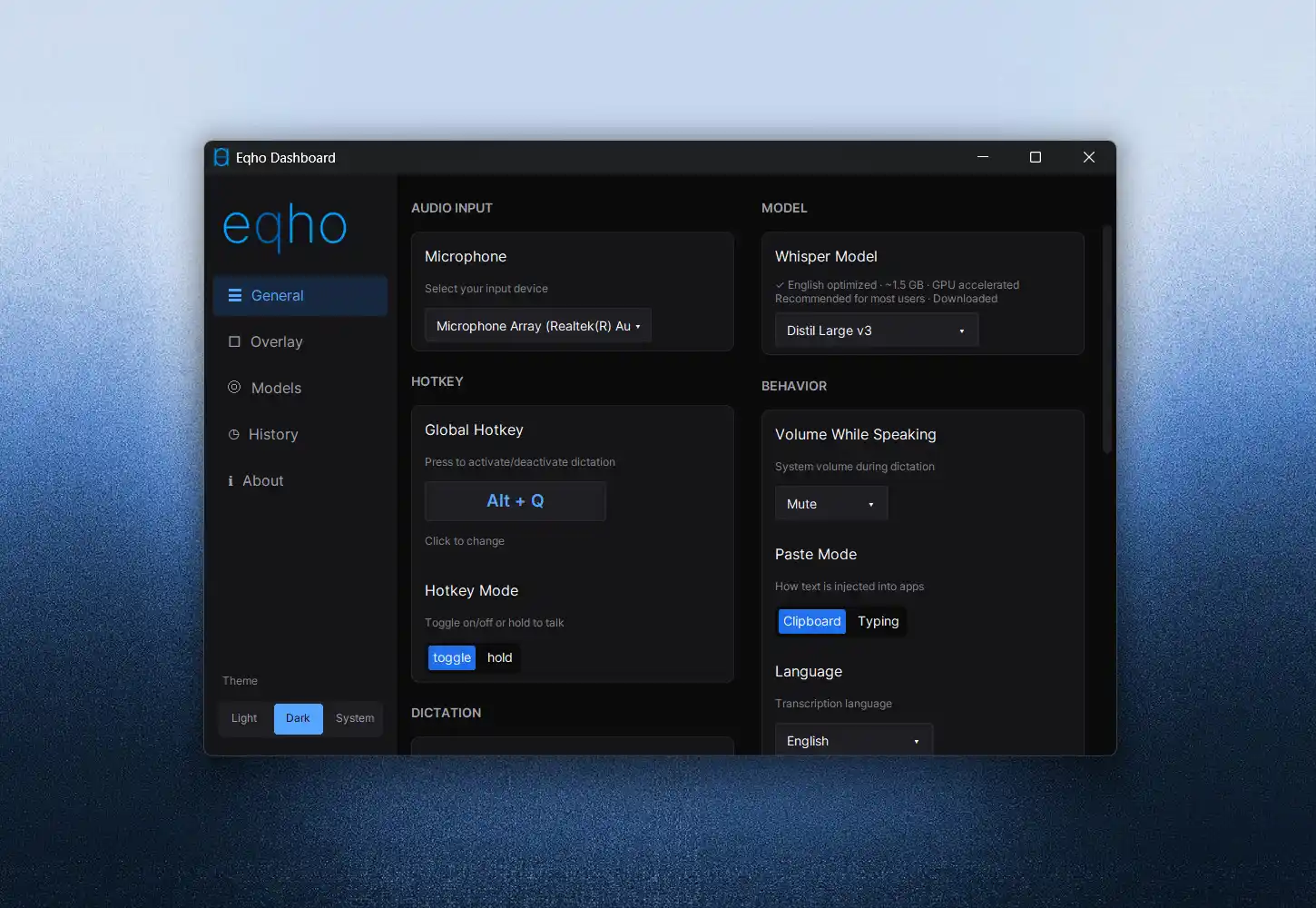
One clean dashboard: pick a voice model by size and accuracy, set your hotkey, browse your dictation history, teach it your jargon. That's it.
EnglishSpanishMandarinJapaneseKoreanVietnameseArabicUkrainianFrenchGermanPortugueseRussianItalian+ 20 with strong accuracy+ 66 experimental — quality varies
Download Eqho
Version latest · free under the AGPL-3.0 open-source license.
Windows Windows 10 / 11, 64-bit
Linux X11 · 64-bit
macOS Apple Silicon & Intel
Unsigned builds show a security prompt on first run — that's normal for
independent open-source apps (how to get past it).
Prefer a package manager? winget install eqho ·
All versions on the releases page.
Fair questions
Is my voice really never uploaded?
Really. Transcription runs on your own processor or graphics card, using state-of-the-art open speech models (OpenAI's Whisper family). Eqho touches the network exactly once: to download the voice model you pick. The code is open — you can check.
What's the catch? Why is it free?
No catch. Eqho is an open-source project licensed under AGPL-3.0. There is no premium tier, no trial clock, and no word counter.
How accurate is it?
Whisper-class accuracy — the same model family used by professional transcription services. You choose the trade-off: smaller models are faster, bigger ones are more accurate. The default is a sweet spot for everyday English.
What do I need to run it?
A 64-bit computer running Windows 10/11, Linux (X11) or macOS, and about 2 GB of disk for the app plus your chosen voice model. A graphics card makes it faster (NVIDIA, AMD or Intel on Windows) but isn't required.